What your AI may change
🔐 When an AI assistant can update your CRM, someone has to decide what it may write, so draft the rulebook before switching it on.

Hello! You've arrived at What Actually Works 🤓
We break down the real strategies, decisions, and plays that actually move the needle in your marketing, and here it for today.
🔐 A four-tier rulebook for letting AI update your CRM
Reading CRM data through an AI assistant feels low-risk. Writing to it is different. One wrong bulk update can change deal stages, overwrite contact owners, or log notes nobody approved.
Before your team connects an assistant with write access, agree on rules. Here's a four-tier version you can adapt.
Rules like these need a platform that supports them. On November 5, HubSpot's product team will walk through how HubSpot connects with Claude, ChatGPT, or another preferred assistant while keeping control through built-in governance, plus its headless product strategy.
They'll show how to ask questions, take action, and update the CRM from inside the conversation, then open the floor to an AMA. Registrants get the recordings within 24 hours. You can secure your free spot and join HubSpot's product team for an AMA.
Tier 1: Read freely
The assistant can read deals, contacts, companies, notes, and activity for any record the user can already see.
Rule: access matches the user's existing permissions. Nobody gains visibility through the assistant that they didn't have before.
Tier 2: Draft only
The assistant can draft emails, notes, and task descriptions, but a person sends or saves them.
Examples: follow-up emails, call summaries, meeting prep notes.
Rule: drafts are labeled as AI-drafted until a person edits or approves them.
Tier 3: Write with confirmation
The assistant can update fields after the user confirms each change in the conversation.
Examples: deal stage changes, next-step dates, task creation, adding a contact to a list.
Rule: one confirmation per record. Bulk changes across more than ten records need a second person's approval. That threshold is my judgment.
Tier 4: Never through the assistant
Some changes stay manual.
Examples: deleting records, changing contact owners across a team, editing deal amounts on closed deals and changing consent or subscription status.
Rule: these require the CRM interface and an admin.
The audit habit
Each week, review a sample of assistant-made changes: what changed, who confirmed it, and whether it was right. Ten changes is enough to spot patterns early. That sample size is my judgment.
Roll it out in stages
- Week 1: Tier 1 and Tier 2 only, for the whole team.
- Week 3: add Tier 3 for team leads.
- Week 6: add Tier 3 for everyone, if the audits look clean.
Write it down
Put the four tiers in a one-page document and share it before anyone connects an assistant. A rule nobody has read is a rule nobody follows.
Today
List the five CRM fields your team changes most often and assign each one to a tier.
Partnership with Insense
You don't have a creator problem. You have a workflow problem.
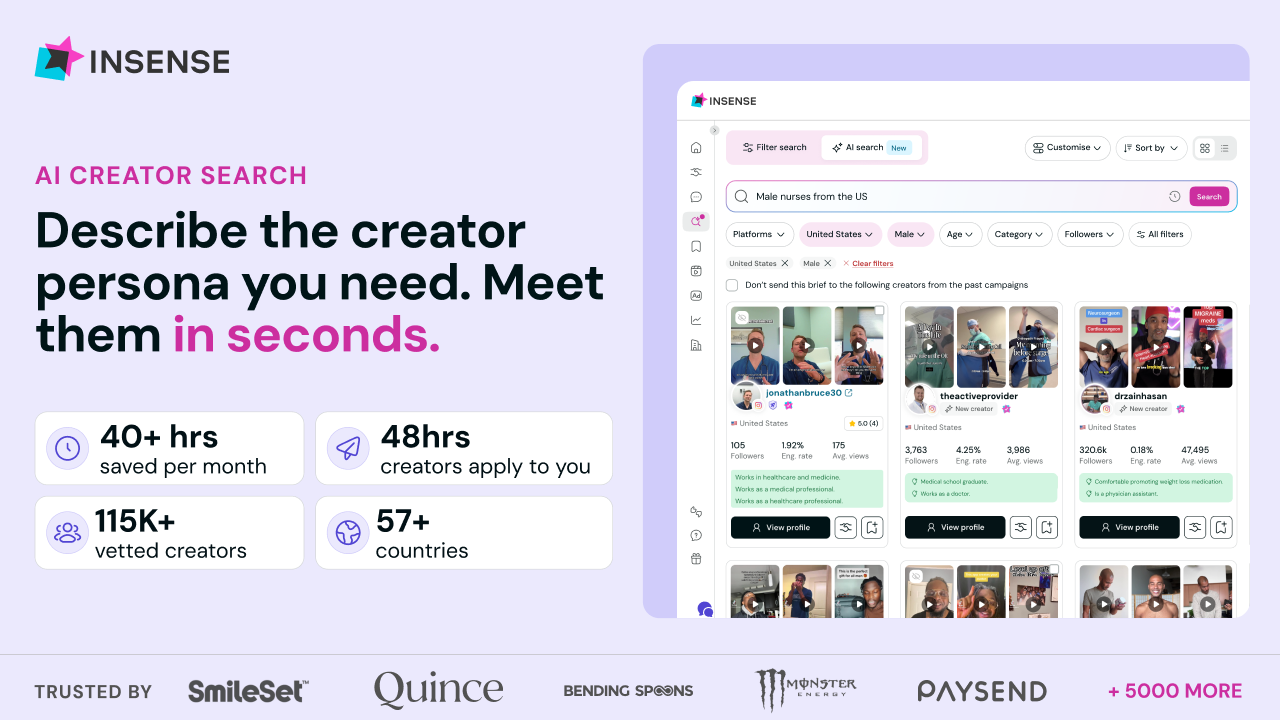
A creator disappears. A shipment stalls. Your paid team waits another week for content while someone tracks contracts and payments across separate tools.
Insense replaces that workflow with one self-serve platform.
One place to receive creator matches from 115,000+ vetted profiles, run briefs, ship product, automate contracts and payments, and own full lifetime content rights.
The results speak for themselves:
- Nurture Life cut turnaround time from 2 months to 2 weeks using just one marketer and Insense
- Solawave received 180+ ad-ready assets in a single month by simply shipping products
- Matys Health achieved 12× reach through Spark Ads on TikTok
More than 5000 brands and agencies use Insense, with first creator applications arriving within 48 hours and teams saving 40+ hours monthly.
Book a free strategy call and get $200 platform credits towards your first campaign.
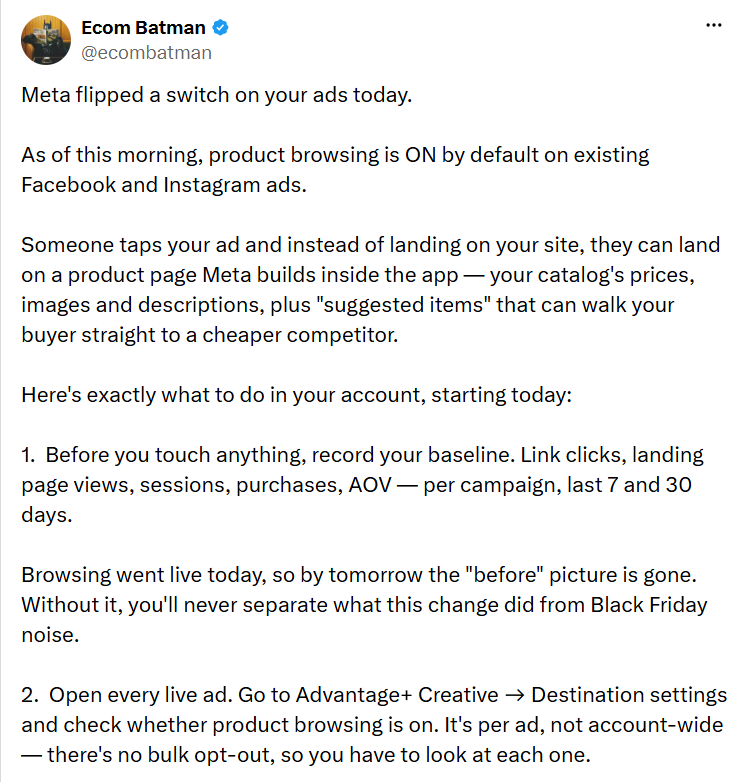
🐥 Tweet Worth Saving
💃Events
🔥 How to Make ChatGPT and Claude Work With Your CRM
November 5 | 11 AM ET | Virtual Event
See how HubSpot connects your preferred AI assistant to real customer context, so you can ask questions, update records, and act without bouncing between tools. You’ll also learn how HubSpot’s headless strategy and built-in governance let teams use AI with more context and control.
Can't attend the session live? Register anyway, and you’ll get the recordings in 24 hours.
Thanks for being part of the WAW team 💃 We’d love to know if this was helpful so we can continue playing it smart with the right strategies.